

Simple Home Office Organization Ideas for Better Productivity
How to reduce decision fatigue with smarter storage, clear desk habits, and layouts that keep your home office organized and aligned with your daily workflow.
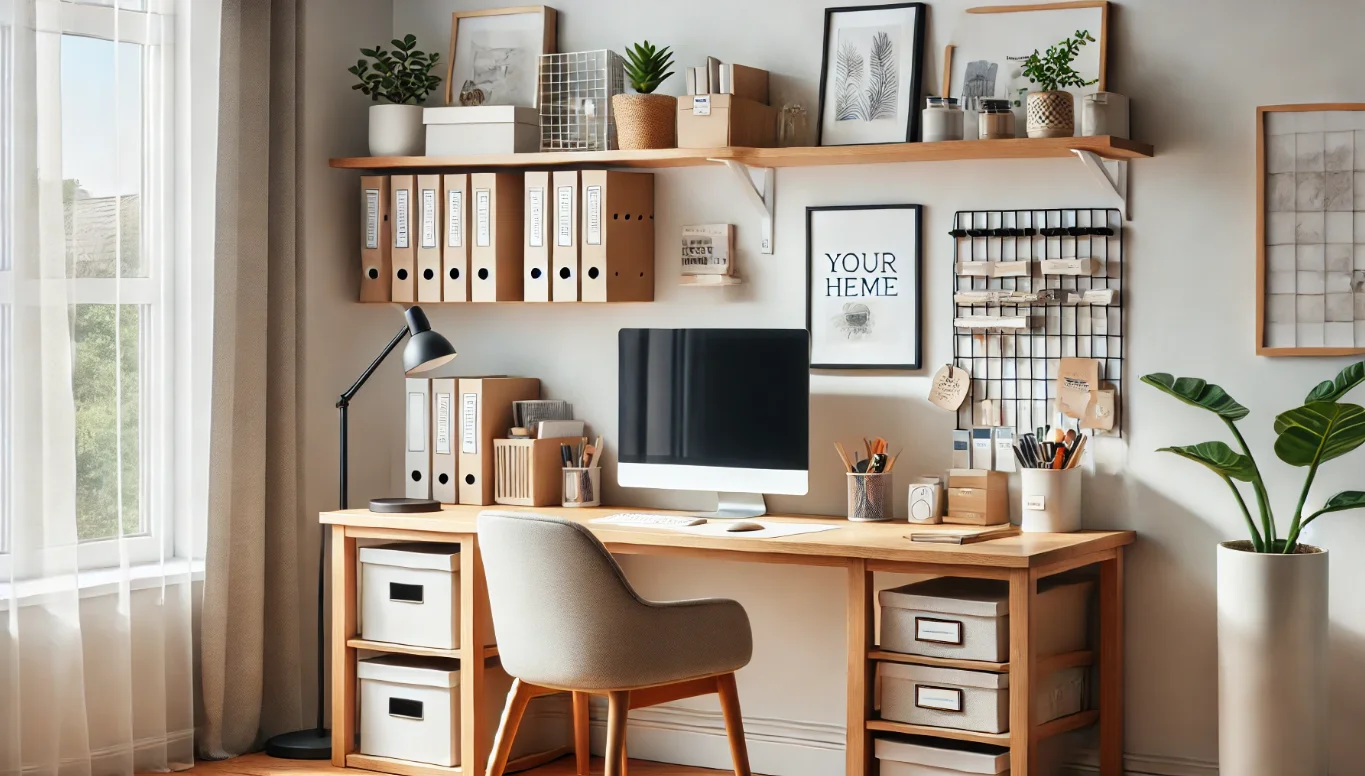 A tidy home office bathed in morning light
📅 Updated on 06/13/2026
A messy workspace does more than look chaotic. It slows decisions, hides important papers, and makes it harder to switch into work mode. A well-planned home office removes that friction, which is why organization has a direct impact on focus, speed, and stress levels.
The good news is that you do not need a full renovation to feel the difference. A few practical changes — smarter storage, tighter desk habits, and better layout choices — can turn a distracting room into a place that supports real work. Below, you’ll find simple, realistic ways to organize a home office so it works with you instead of against you.
Key Takeaways
- A productive workspace starts with reducing decision fatigue, not buying more storage.
- The desk should hold only the tools used daily; everything else needs a defined home.
- Vertical storage, cable control, and paper sorting solve most of the clutter that people ignore.
- Organization works best when it supports your actual workflow, not an idealized setup.
- Small routines, repeated consistently, maintain order better than occasional deep cleaning.
Home Office Organization Ideas That Make Daily Work Easier
A well-organized home office is a work environment where every item has a purpose, a place, and a reason to stay visible. The practical goal is to reduce friction: fewer searches, fewer distractions, and fewer interruptions while you work. That is the fastest way to improve output without changing your job or schedule.
In practice, the biggest gains come from fixing the visible clutter first. When the desk is clear, the room feels calmer. When storage is structured, you stop wasting time moving the same objects around. And when your system matches the way you actually work, it lasts longer.
Organization is not about making a room look minimal; it is about making the next action obvious.
Start With the Desk, Not the Whole Room
The desk is the control center, so it should carry only the items you use every day. Think laptop, keyboard, mouse, notebook, pen, water, and perhaps one reference document. Everything else belongs in a drawer, shelf, or nearby storage bin.
Use a One-Touch Rule for Incoming Items
Mail, receipts, chargers, and loose papers cause clutter because they get set down “for now” and never leave. A one-touch rule means each item gets sorted immediately: trash, file, scan, or store. That small discipline prevents the pileup that makes a workspace feel permanently unfinished.
Whoever works from home long enough knows this pattern: the desk gets messy during a busy week, then the clutter starts affecting concentration before the person even notices it. The fix is not a big cleaning day every month. It is a small decision made every time something enters the space.
Declutter the Surface So Your Attention Has Room to Work
Clear surfaces lower visual noise, and visual noise competes with concentration. That is not just a preference; it affects how quickly you can start tasks and how often your attention drifts. A desk with fewer objects creates less cognitive load, which is one reason minimal setups often feel easier to use.
Keep Only Daily Essentials Within Arm’s Reach
If you do not use it every day, it should not live on the desktop. Printers, file boxes, extra monitors, and office supplies can stay close without staying visible. This is where a drawer organizer or shelf system pays off.
Group Items by Task, Not by Category Alone
Instead of storing everything “by type,” organize the space around actual routines. One zone might hold writing tools, another tech accessories, and another paperwork. That approach works because it reflects how you move through the day.
Build Storage Around the Way You Work
Storage becomes useful when it matches behavior. A beautifully labeled system fails if it takes too many steps to use. The best setups are simple: open a drawer, reach a shelf, grab a bin, return the item. If a system slows you down, you will stop using it.
Vertical storage is often overlooked in a home office. Wall shelves, pegboards, and tall bookcases free up desk space without adding visual chaos. They are especially effective in small rooms, where floor area is limited and every square foot counts.
Use Drawers for Frequency, Shelves for Volume
Drawers should hold items you use often but do not need to see all the time. Shelves are better for books, binders, and larger equipment. This split keeps the surface clean while still making the room functional.
Choose Containers That Are Easy to Reset
Open bins, trays, and file boxes make it easier to put things back fast. If a container is hard to access, it usually becomes a dumping ground. The best storage is the kind you can reset in under two minutes.
Read also: 5 Office Organization Moves CEOs Use at Amazon and Spotify
Read also: Office Organization Strategies to Boost Focus in 2025
Read also: Home Office Organization Hacks to Boost Focus in 2025
| Storage Option | Best Use | Why It Helps |
|---|---|---|
| Desk drawer organizer | Small tools and supplies | Keeps daily items separated and easy to grab |
| Open shelving | Books and binders | Uses vertical space without crowding the desk |
| File sorter | Pending paperwork | Prevents loose papers from spreading |
| Storage bin | Seasonal or occasional items | Hides extras without losing access |
Control Cables, Tech, and Paper Before They Take Over
Cables and paper are the two clutter sources that make even a tidy room look chaotic. A laptop charger draped across the floor and a stack of documents on the corner of the desk both send the same message: the system is unfinished. Fixing those two areas changes the whole room fast.
Tame the Cords First
Cable clips, sleeves, and under-desk trays keep chargers and power strips from spreading across the floor. This is one of the cheapest improvements you can make, and it has an outsized effect on how polished the space feels.
Handle Paper With a Simple Three-Pile Method
Use three categories: action, archive, and discard. The “action” pile stays small and active; the archive pile holds records you may need later; and the discard pile leaves the room quickly. If you scan documents, the National Institute of Standards and Technology offers practical guidance on digital security and file handling that can help you store important records more safely.
The difference between a tidy desk and a usable desk is not decoration; it is whether the tools, files, and cables disappear from the decision path.
Make the Room Support Focus, Not Just Storage
Good organization is only part of the equation. Light, chair height, monitor placement, and noise control also shape how usable a home office feels. If the chair hurts after an hour or the screen sits too low, clutter is only one of the problems.
Place the Monitor at Eye Level
A monitor that sits too low encourages slouching and neck strain. The top of the screen should generally be near eye level, with the screen about an arm’s length away. That setup supports comfort and helps you stay in the same posture longer.
Use Light to Define Work Mode
Natural light works well when it does not create glare, while a good desk lamp helps on darker days. The goal is steady light, not dramatic lighting. If your eyes feel tired by midafternoon, the room may need better illumination rather than more coffee.
Control Background Noise
Noise is a hidden productivity problem in many remote setups. Door seals, rugs, soft furnishings, and even a white noise machine can reduce interruptions. If the room doubles as a shared living space, acoustic comfort matters as much as storage.
Create a Reset Routine You Can Actually Keep
Organization only lasts when maintenance is easy. A perfect system that needs an hour of upkeep every night will fail during busy weeks. A better approach is to build a five-minute reset that happens at the end of the day.
Use a Short End-of-Day Sequence
- Put papers into the correct pile.
- Return pens, notebooks, and accessories to their storage spots.
- Wipe the desk surface.
- Plug in devices and clear the cable area.
- Leave the room ready for tomorrow’s first task.
Review the Setup Once a Month
Some systems stop working because your work changes. You may add a second monitor, switch from paper notes to digital notes, or start handling more client documents. That is normal. The routine should evolve with your workload instead of staying frozen.
For broader guidance on how remote work affects productivity and well-being, the Centers for Disease Control and Prevention has resources on ergonomics and healthier work habits, while the National Institutes of Health publishes research on workspace-related strain and behavior. Those sources are useful when you want the setup to support both output and long-term comfort.
How to Prioritize Changes When the Budget Is Tight
If you cannot change everything at once, start with the problems that create the most daily friction. For most people, that means clearing the desk, fixing cable clutter, and adding one or two simple storage tools. Expensive furniture is not the first move.
Best First Upgrades
- A drawer organizer for small supplies
- Cable clips or an under-desk tray
- A document tray for active paperwork
- A desk lamp with consistent light
- A monitor riser or stand for better screen height
What to Delay Until Later
Skip decorative purchases until the functional problems are solved. Matching bins and aesthetic labels look nice, but they do not fix workflow issues on their own. A practical system beats a polished one that nobody maintains.
Why Small Systems Beat Big Overhauls
People often try to reorganize everything in one afternoon, then feel discouraged when the space slips back into chaos. That happens because the system was too ambitious for daily life. Small changes stick because they are easier to repeat under pressure.
Source note: Remote-work research from the U.S. Bureau of Labor Statistics and workplace ergonomics guidance from public health agencies show a consistent pattern: performance improves when the work environment reduces strain, interruptions, and clutter. The exact best setup varies by job, but the principle does not.
The most effective home office is not the most stylish one. It is the one that disappears into the background and lets the work take center stage.
Frequently Asked Questions
What is the fastest way to organize a home office?
Start with the desk surface and remove everything that is not used daily. Then sort papers into action, archive, and discard piles, and put cords out of sight. Those two steps usually create the biggest improvement in the least amount of time.
How do I keep my desk from getting cluttered again?
Use a five-minute reset at the end of each workday. Put items back immediately, clear active papers, and keep only daily tools on the desktop. Clutter usually returns when there is no closing routine.
What should always stay on a work desk?
Only the tools you use constantly: laptop, keyboard, mouse, notebook, pen, and perhaps one active document. If an item is used once a week or less, store it elsewhere. The goal is speed, not display.
Does organization really improve productivity?
Yes, when it reduces the number of small decisions and searches you make during the day. A better system saves time, but it also lowers mental friction. That is why the effect often feels bigger than the visible change.
What if my home office is very small?
Use vertical storage, wall-mounted solutions, and compact containers. Small rooms benefit most from clear zones and fewer items on the desk. In tight spaces, every object should earn its place.
Can a home office be organized on a budget?
Absolutely. Cable clips, simple trays, and a few labeled bins can solve most common problems. Before buying anything, remove unused items and repurpose what you already own.